A shared business inbox
Read incoming messages, reply from your admin panel and keep each conversation with its contact record. Give the team the context it needs when someone takes over.
Enquiry & Booking Management / Messaging · Ready-made solution
Bring WhatsApp conversations into a shared workspace connected to your CRM and calendar. Help your team answer enquiries, arrange appointments and keep the conversation history in one place.

Product demo
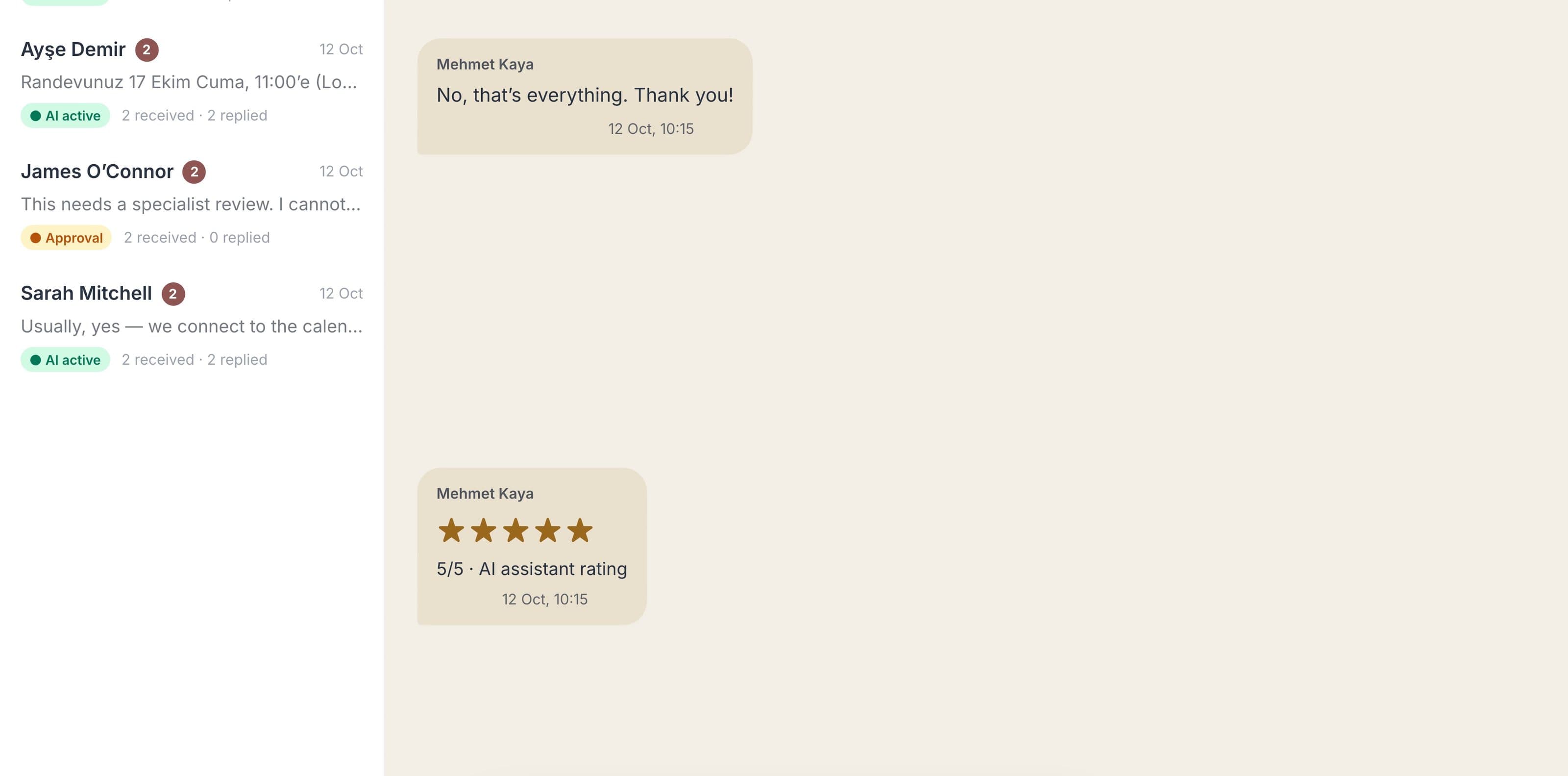
Narrated two-minute walkthrough: a new enquiry answered in seconds, the lead qualified, real calendar slots offered and a Teams meeting booked, every reply costed against a monthly budget, a reschedule handled in the same chat, a tricky question switched to Approval for a human, and the customer rating the assistant.
The problem
WhatsApp enquiries usually land on a single handset. Whoever holds it answers; nobody else sees the thread, follow-ups slip when that person is busy, and each reply starts with the same question: what do I write? Bookings get arranged by hand, then forgotten.
What we built
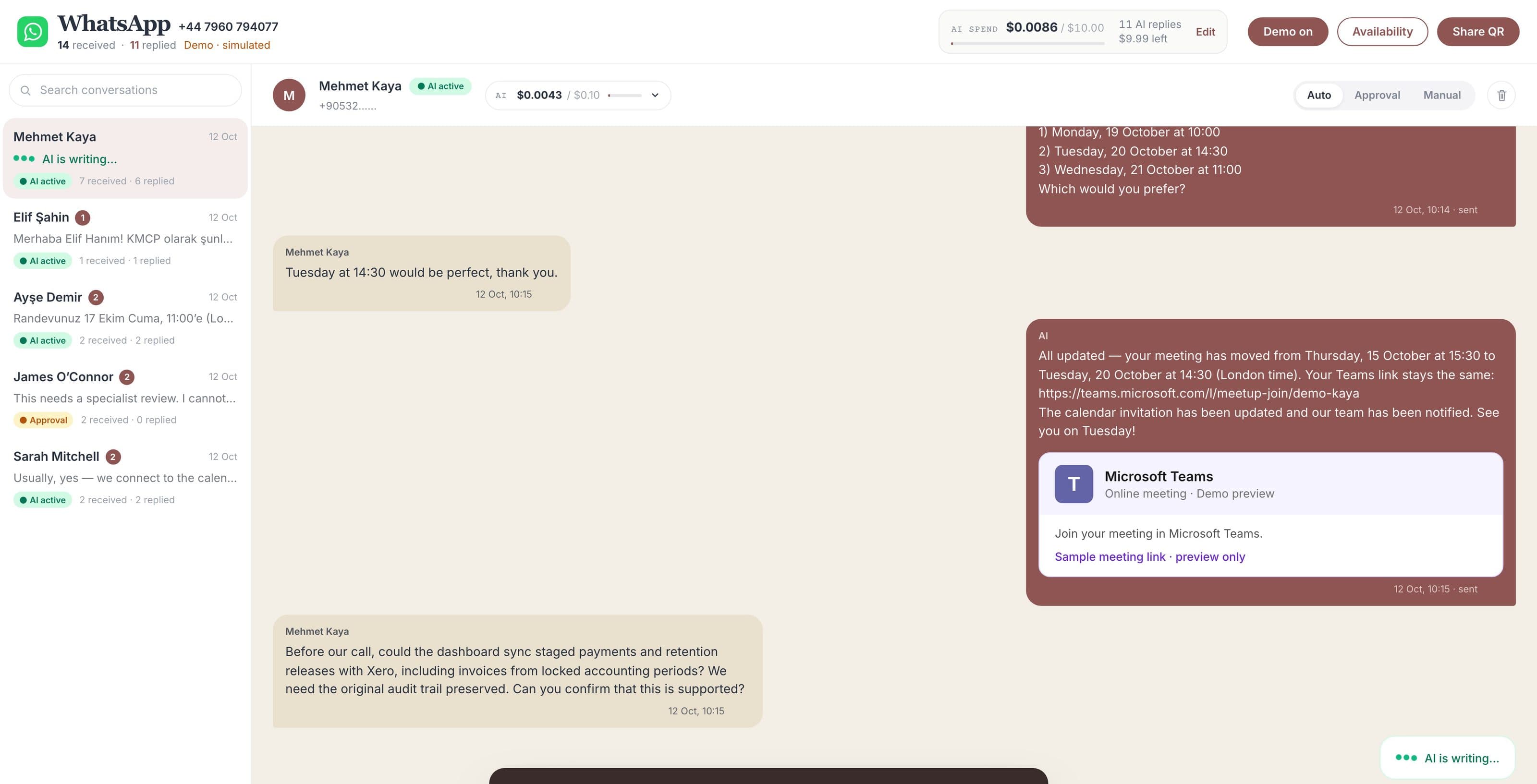
Every WhatsApp message lands in one inbox inside your admin panel. Anyone on the team can reply, and each message shows who sent it: a named colleague or the assistant. The AI drafts answers from your own approved knowledge, checks real calendar availability, books the Teams meeting and moves it when the customer asks.
Built to last
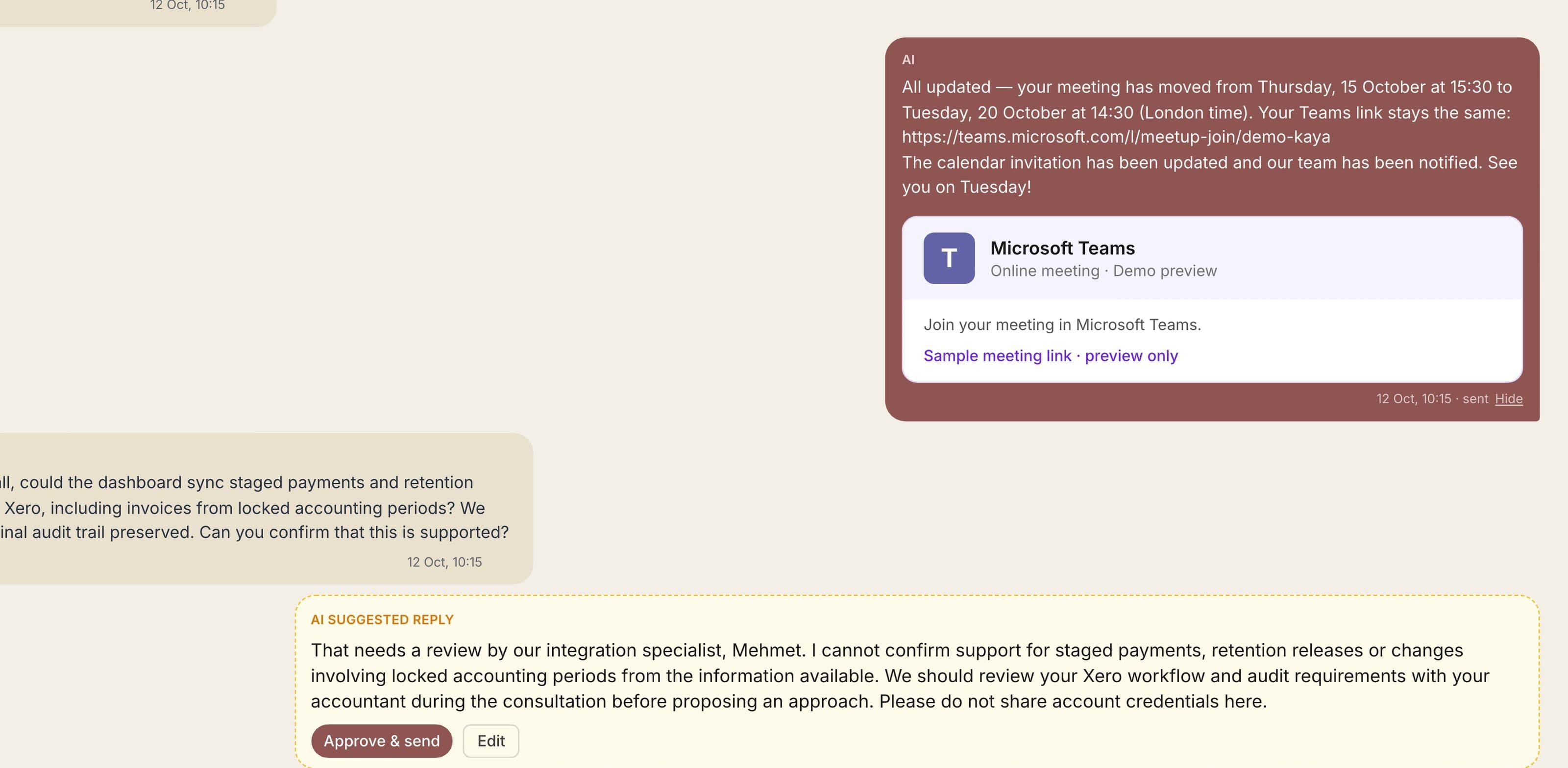
Nothing depends on one person or one phone. The inbox uses the official WhatsApp Business API, the knowledge the assistant answers from is text your team edits, and a monthly AI budget caps spend per inbox and per customer. When the cap is reached the assistant pauses and people carry on.
Easy to track
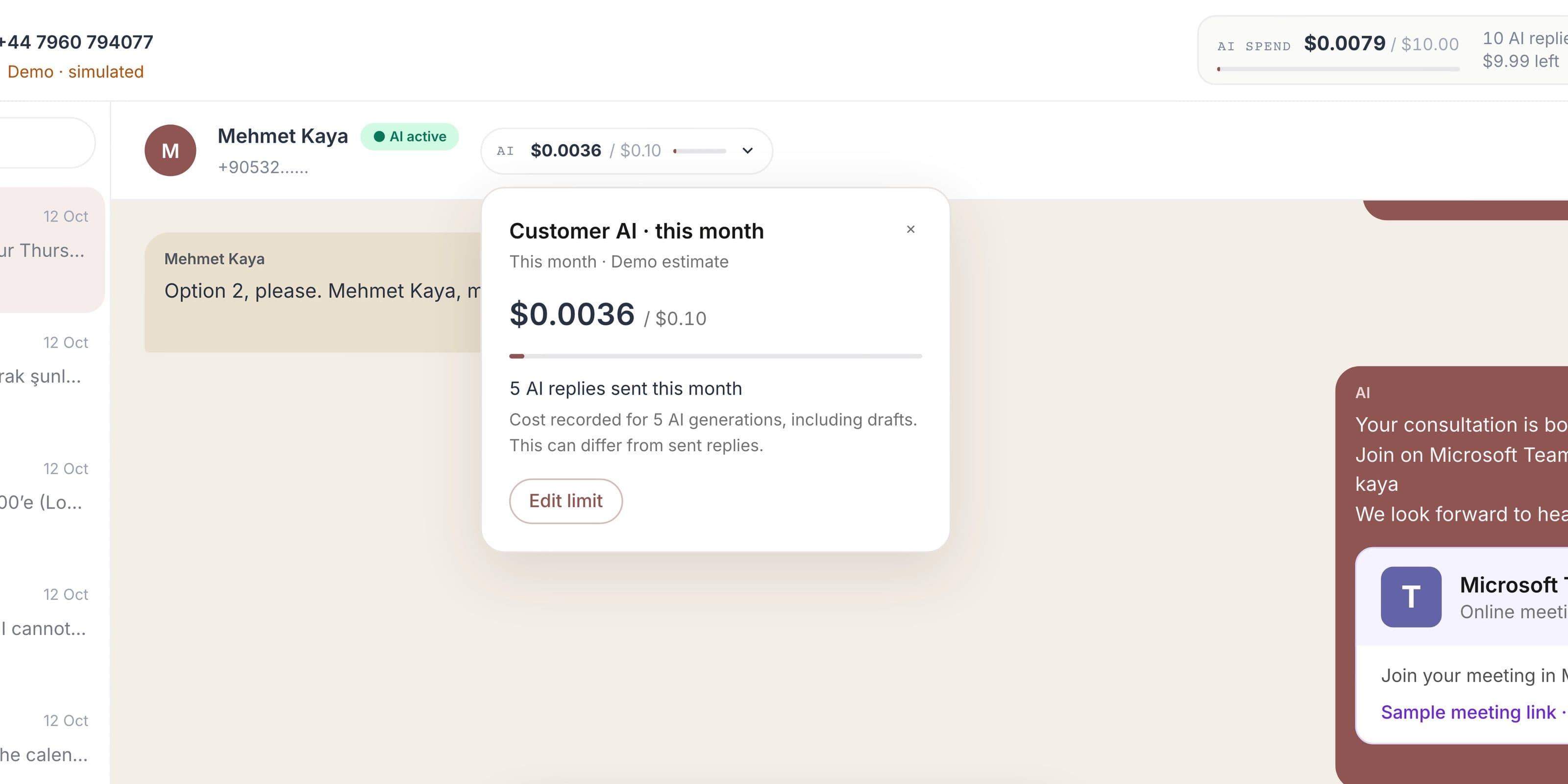
Each reply carries a name, each conversation shows received, replied and read counts, and AI spend is visible per month and per customer right in the inbox. Bookings and reschedules land in the calendar and your records, and customers can rate the assistant at the end.
Built by KMCP / Inside our platform
View full size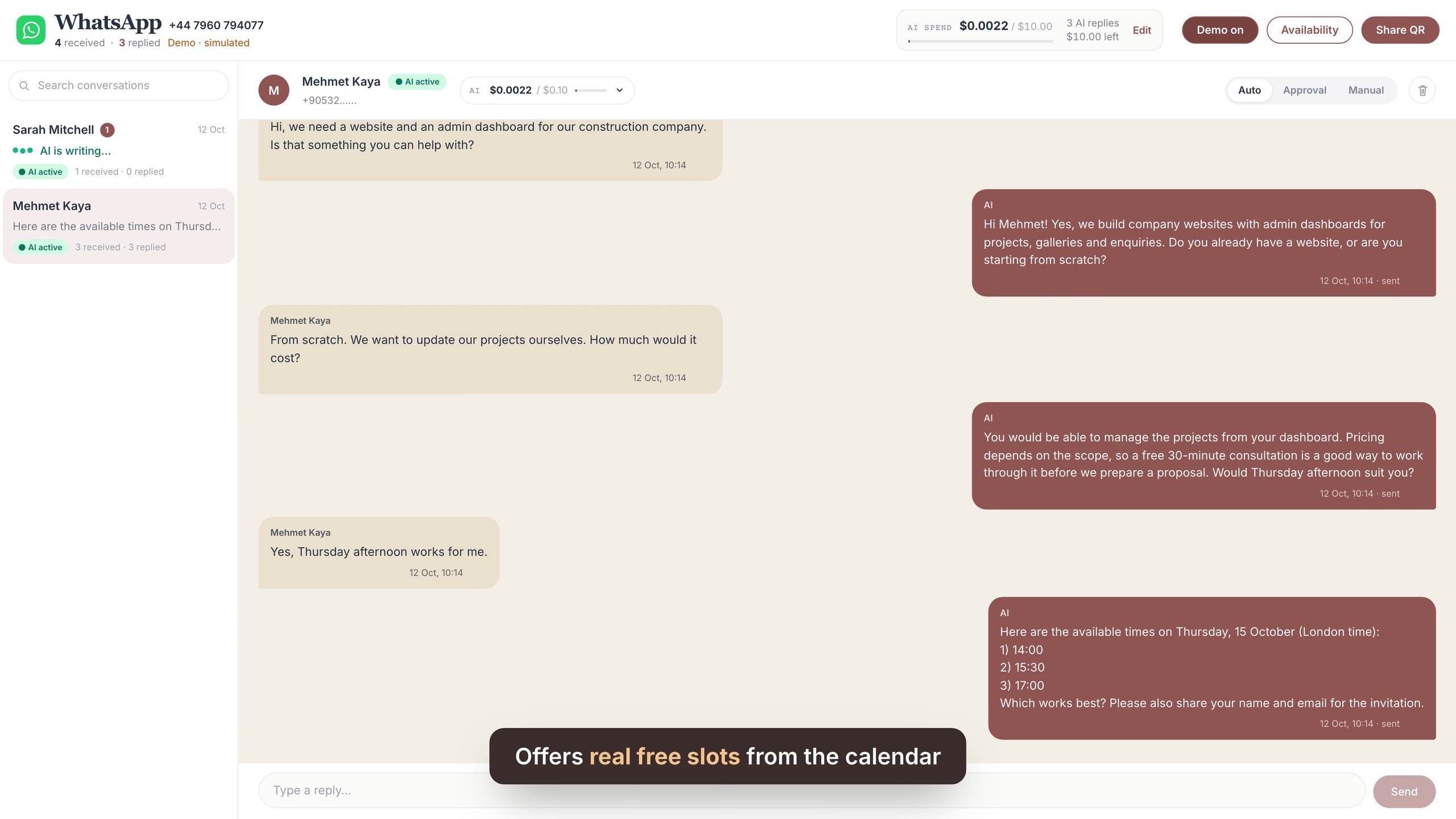
Read incoming messages, reply from your admin panel and keep each conversation with its contact record. Give the team the context it needs when someone takes over.
Choose automated replies for agreed questions, drafts that need staff approval or fully manual conversations. Let a person review, edit or take over when the enquiry needs attention.
Connect enquiries to your calendar availability, offer suitable appointment times and collect the details needed for a booking. Keep confirmations and changes in the same conversation.
Link messages to the right contact, record enquiry details and pass the next action to your team. Keep conversation status and outstanding work visible across the customer journey.
An example in practice
Our own WhatsApp workspace combines a shared inbox, appointment availability and Auto, Approval and Manual reply modes. We can adapt this approach to your team’s enquiries and booking process.
More ready-made solutions
 Ready-made solutionMailchimp alternativeEmail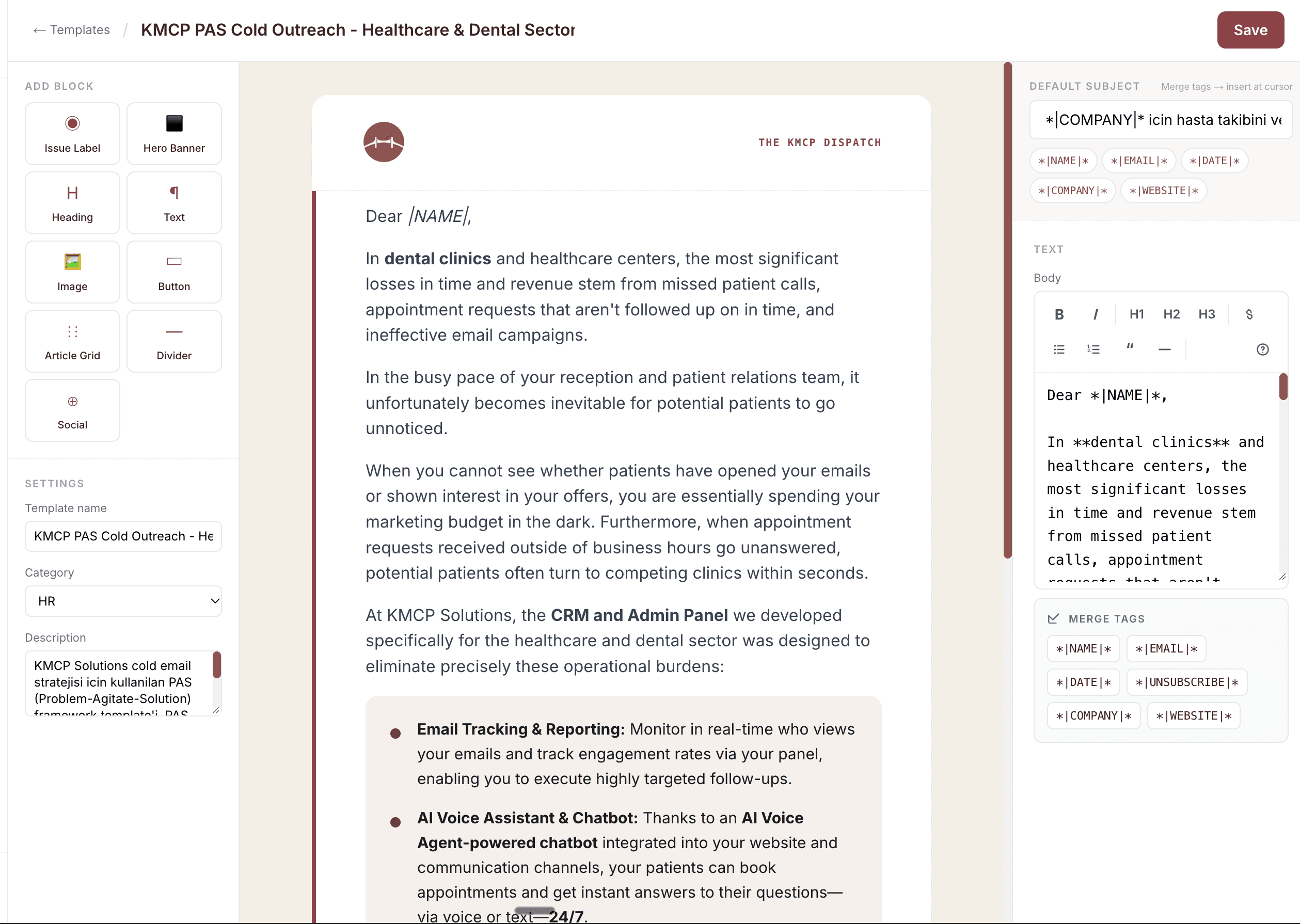
A branded email builder inside your admin panel with delivery, open and click reporting.
Similar systems